Freelancing sounds free – you set your own hours, pick your own clients, and work from wherever you want. But here is the truth that most new freelancers find out the hard way: without the right tools, you end up working twice as hard for half the output. You are juggling client communication, project management, design, writing, invoicing, and marketing – all at the same time, all by yourself. That is why choosing the best tools for freelancers is not just a productivity tip – it is a business decision. The right software stack saves you hours every week, makes your work look more professional, and lets you take on more clients without burning out.
In this guide, we cover everything – from AI tools to design software, productivity apps to automation platforms. Whether you are a graphic designer, a content writer, a digital marketer, or a developer, you will find exactly what you need here. And yes, we also tell you how to get all of this at a price that actually makes sense for a freelancer’s budget.
Why Does Every Freelancer Need the Right Software Stack?
Think about what a typical freelancer’s week looks like. You are writing proposals, managing revisions, creating content, tracking deadlines, and sending follow-up emails. If every single one of these tasks is done manually or with basic free tools, you are leaving hours – and money – on the table.
Good freelancer productivity tools do not replace your skills. They multiply them. When your writing tool catches errors before the client does, when your design tool speeds up your workflow by 60%, or when your automation tool sends follow-up emails for you while you sleep – that is when freelancing starts to feel like a real business and not just a hustle.
Now, the other side of this is cost. Official subscriptions to premium software can be painfully expensive, especially when you are starting out. A single tool can cost more than what some clients pay for an entire project. This is exactly why affordable tools for freelancers are such a hot topic right now – because professionals are finally realizing there are smarter, legitimate ways to access the same enterprise-grade software without spending a fortune.
Who Should Read This Guide? (Freelancer Types Covered)
This guide is built for every type of independent professional. Here is a quick breakdown of who benefits from which section:
- Freelance graphic designers and illustrators: jump to the design tools section to find the best software for creating client work, building brand assets, and speeding up your production workflow. We cover both heavy professional suites and fast everyday design tools.
- Content writers and copywriters: the AI tools and productivity section is where you want to start. The right writing assistant and project management tool will help you produce better drafts faster and manage multiple client projects without dropping the ball.
- Digital marketers and social media managers: the section on must have tools for freelance marketers is written directly for you. We cover outreach tools, SEO platforms, AI-powered presentation builders, and LinkedIn growth tools.
- Freelance developers and tech professionals: the AI and productivity section covers code assistants, notebook environments, and automation platforms that directly cut down your dev time.
- Beginners and students building a freelance career: the budget stack section at the end will show you exactly how to start smart, pick your first three tools, and grow from there without overspending.
Also Read – How to Use Otter.ai for Meeting Notes: A Complete Practical Guide
What Are the Best AI Tools for Freelancers in 2026?
AI is no longer a nice-to-have for freelancers. It is the single biggest productivity unlock available right now. The best saas tools for freelancers 2026 are heavily AI-powered, and the gap between freelancers who use them and those who do not is growing every month.
Here are the ai tools for freelancers that are actually making a difference right now:
- ChatGPT Plus: This is the go-to AI assistant for drafting emails, writing long-form content, creating client proposals, brainstorming ideas, and even debugging code. The Plus version gives you access to the most capable model, faster responses, and priority access even during peak hours. For freelancers who write, communicate, or create on a daily basis, this one tool alone can cut your working time significantly.
- Gemini Advanced: Google’s most powerful AI is especially strong for research-heavy tasks. If you are a content writer who needs accurate, well-sourced information quickly, or a marketer who needs to analyze large amounts of data, Gemini Advanced handles these tasks better than most other tools. It also integrates naturally into Google Workspace, which many freelancers already use for documents and spreadsheets.
- Grammarly Premium: No matter how good a writer you are, Grammarly catches things you miss. It checks for tone, clarity, style, and correctness – not just spelling. For freelancers delivering written work to clients, having this tool is like having a professional editor review every single piece before it goes out.
- Jasper AI: Built specifically for marketing and content creation, Jasper is one of the best tools for freelancers who produce content at scale. It can write blog posts, ad copy, product descriptions, and social media captions in minutes, and it does it with a tone that can be customized to match each client’s brand voice.
The best part? You do not need to pay full official pricing for any of these tools. More on that in the CTA section below.
Which Graphic Design Tools Do Freelancers Actually Need?
Design is one of the most tool-dependent freelance niches. The wrong tool for the wrong project costs you time, quality, and client satisfaction. The right graphic design tools for freelancers are the difference between work that looks professional and work that just looks done.
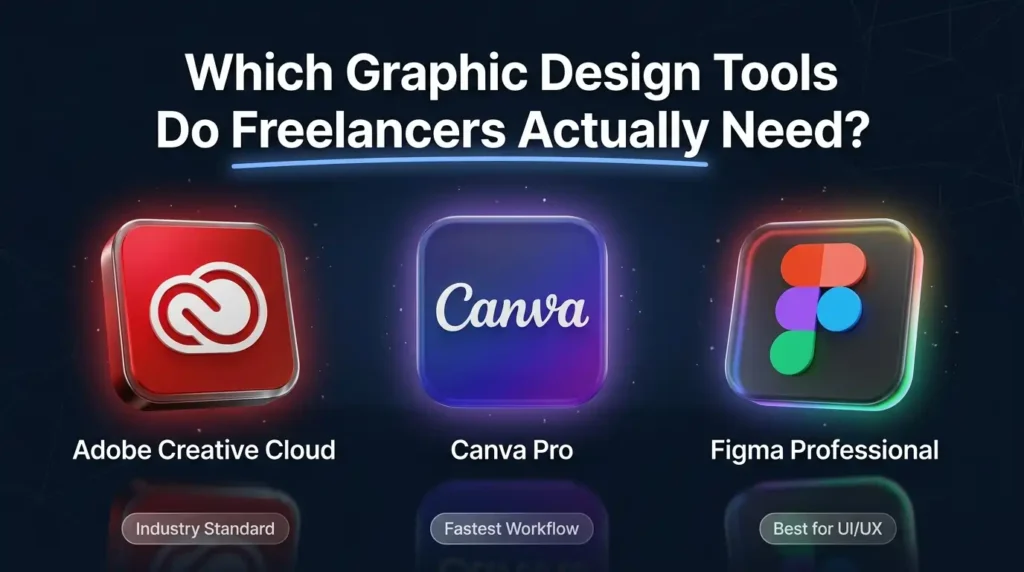
- Adobe Creative Cloud: This is the industry standard for a reason. Photoshop, Illustrator, Premiere Pro, After Effects, InDesign – if you are serious about design, video, or print work, Adobe is non-negotiable. Most client briefs for professional-grade design work will assume you have access to these tools. The All Apps plan is the most comprehensive, giving you the full suite for every type of project you take on.
- Canva Pro: Canva is the fastest way to produce clean, presentable designs without spending hours in Illustrator. It is perfect for social media graphics, presentations, pitch decks, and quick marketing collateral. Canva Pro unlocks the premium template library, brand kit, background remover, and bulk content creation tools – all of which save serious time for freelancers doing high-volume design work.
- Figma Professional: If you do UI/UX design, web design, or work with product teams, Figma is your primary workspace. It is collaborative by nature, which means clients can leave feedback directly in the file without needing to email screenshots back and forth. The Professional plan removes the limitations on projects, editors, and sharing that hold back the free tier.
Here is a quick comparison to help you choose the right tool for the right situation:
| Factor | Adobe Creative Cloud | Canva Pro |
| Best for | Professional-grade design & print | Quick social & marketing content |
| Learning curve | Steep – requires training | Very easy – beginner-friendly |
| Client expectations | Expected for serious design work | Accepted for digital content |
| Collaboration | Good with Creative Cloud Libraries | Excellent – real-time sharing |
| Output quality | Highest possible quality | Good quality for digital use |
The honest answer: most tools for freelance designers who work professionally will need both. Adobe for serious client deliverables, Canva for fast turnaround tasks.
Also Read – Perplexity vs ChatGPT- Which AI Is Better?
How Can Freelancer Productivity Tools Save You 10+ Hours a Week?
The freelancers who scale their income fastest are not always the most skilled – they are the most organized. The best freelancer productivity tools create systems that eliminate the time you waste on repetitive tasks, lost files, forgotten follow-ups, and messy communication.
- Notion Business: Think of Notion as your freelance command center. You can manage every client project, track deadlines, store notes, build content calendars, create SOPs, and keep your entire business organized in one place. The Business plan adds unlimited guests (so clients can access shared workspaces), advanced permission controls, and analytics – all of which matter as your freelance work grows.
- Otter.ai: If you spend any time in client calls, Otter.ai is a game-changer. It records and transcribes your meetings automatically, so you can stay focused on the conversation instead of taking notes. After the call, you get a searchable, shareable transcript that you can reference when writing briefs or scoping revisions.
- Loom Premium: Sending a five-minute Loom video to a client is faster than writing a three-paragraph email and clearer than a call. Loom lets you record your screen and face at the same time, making it perfect for delivering feedback, walking through revisions, or explaining your work process to a client. The Premium plan removes the recording limits and branding, making it look professional.
- Superhuman: For freelancers who live in their inbox, Superhuman is one of the most impactful best saas tools for freelancers 2026 available. It is a lightning-fast email client with keyboard shortcuts, AI-assisted replies, and smart triage features that cut your email time in half.
Combined, these tools can realistically save a freelancer 10 to 15 hours every single week. That is time you can spend taking on a new client, improving your skills, or simply working less.
What Are the Best Freelancer Automation Tools to Scale Your Work?
Automation is not just for big businesses. Some of the best freelancer automation tools are now accessible to individuals, and they let you set up systems that run your business even when you are not at your desk.
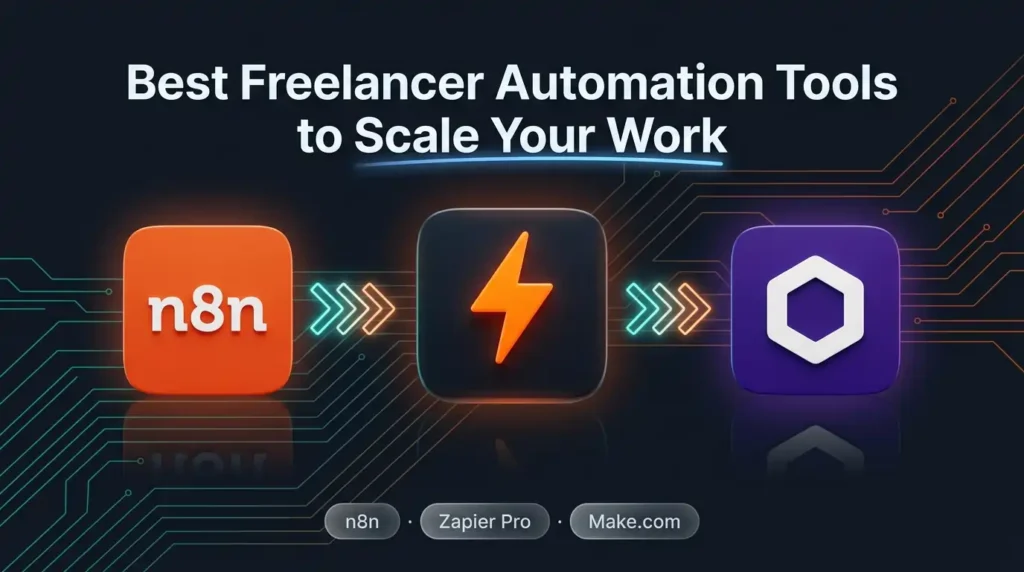
The three platforms that freelancers are using the most right now:
- n8n: n8n is an open-source workflow automation tool that connects your apps and automates tasks without needing a developer. You can build workflows that automatically move data between tools – for example, when a client fills out your contact form, n8n can add them to your CRM, send them a welcome email, create a new Notion project, and notify you on Slack, all in one automated flow. It is one of the most powerful best saas tools for freelancers 2026 for those who want real automation without recurring per-task charges.
- Zapier Pro: Zapier is the most beginner-friendly automation platform. It connects over 6,000 apps and works on a trigger-action logic that is simple to set up without any coding. The Pro tier removes the multi-step limitation so you can build more complex workflows. It is the best starting point for freelancers who are new to automation.
- Make.com (formerly Integromat): Make sits between n8n and Zapier in terms of complexity and power. It has a visual drag-and-drop interface that makes complex multi-branch workflows easy to build. Freelancers who need to automate things like invoice reminders, social media reposts, or lead follow-ups will find Make extremely capable.
Start by automating just three things: client onboarding messages, invoice reminders, and weekly task reports. Those three automations alone can give you back hours every month.
Also Read – Notion Premium Subscription Service for Teams & Individuals
Must-Have Tools for Freelance Marketers and Content Creators
If your freelance work involves marketing, content creation, outreach, or social media management, you need a specific set of tools that go beyond general productivity. These are the must have tools for freelance marketers that will level up both your output and your results.
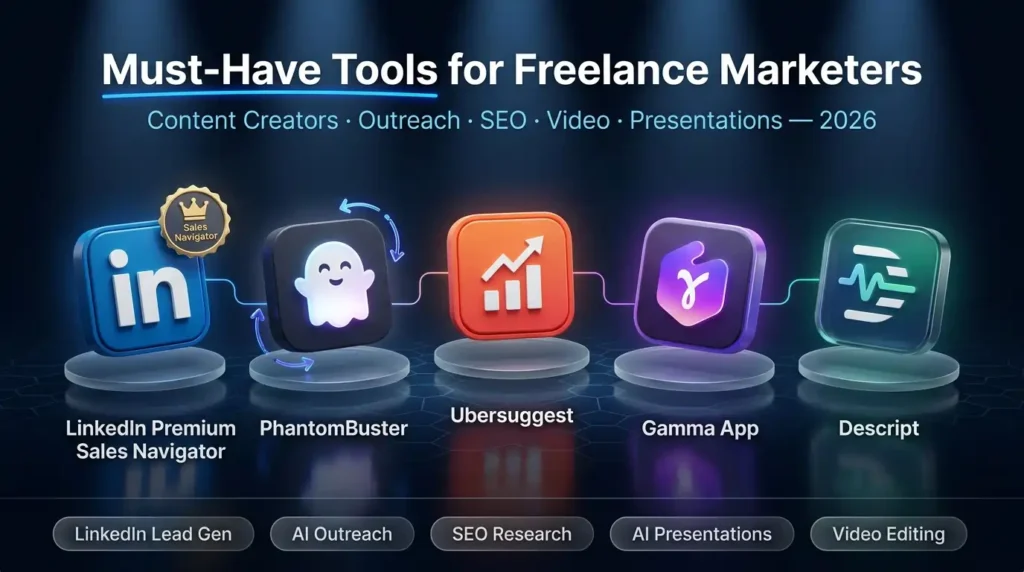
- LinkedIn Premium (Sales Navigator or Business Plan): For freelance marketers and consultants, LinkedIn is the single best B2B lead generation platform available. The Premium tiers give you access to advanced search filters, InMail credits to reach decision-makers, profile visibility insights, and business data that helps you identify the right prospects. Sales Navigator, in particular, is a must-have if you are doing any outbound client acquisition – it is one of the most powerful tools in the entire freelancer software stack for B2B growth.
- PhantomBuster: PhantomBuster automates your LinkedIn and social media outreach so you can generate leads without manually sending hundreds of connection requests. You set up the sequence, define your target audience, and let it run in the background. It is built for marketers who want to scale outreach without hiring a team.
- Ubersuggest: For freelancers who do SEO or content strategy, Ubersuggest is one of the most accessible keyword research and site audit tools available. It shows search volume, keyword difficulty, competitor analysis, and content ideas – everything you need to build an SEO strategy for yourself or your clients.
- Gamma App: Creating presentations used to take hours. Gamma uses AI to generate beautiful slide decks from a simple text prompt or document. For freelance consultants, marketers, and strategists who regularly present proposals or strategies to clients, Gamma is one of the most time-saving best tools for freelancers in 2026.
- Descript: Descript is the best tool for freelancers who produce video or podcast content. It lets you edit video by editing the text transcript – delete a word from the transcript, and it disappears from the video. This makes video editing accessible even for people who are not professional video editors, and it dramatically cuts production time.
How to Build the Perfect Freelancer Software Stack on a Budget
One of the biggest mistakes new freelancers make is trying to get every tool at once. The smarter approach is to build your freelancer software stack in stages – starting with the tools that solve your biggest immediate bottlenecks, and expanding as your income grows.
Stage 1: The Starter Stack (0-3 months into freelancing)
Focus on the three areas that will directly make you money: communication, creation, and management.
- One AI writing/creation tool: ChatGPT Plus or Gemini Advanced. Pick one based on your primary work. ChatGPT for writing-heavy work, Gemini for research-heavy or Google-integrated work.
- One design tool: Canva Pro if you are doing social and marketing content, Adobe Creative Cloud if you are doing professional design work. Both are core to the freelancer software stack for any visual professional.
- One project management tool: Notion Business to track all your clients, deadlines, notes, and deliverables in one organized place.
Stage 2: The Growth Stack (3-12 months in)
Once you are earning consistently, add tools that automate and scale your operations.
- Automation: Add n8n or Zapier to automate client onboarding and follow-ups.
- Outreach and marketing: Add LinkedIn Premium and PhantomBuster if you do B2B work or need a steady pipeline of clients.
- Communication: Add Loom Premium to improve client communication and reduce revision cycles.
Here is a simple stack overview showing which tools fit which freelancer type:
| Tool | Freelancer Type | Category | Price via PremiumToolsHub |
| ChatGPT Plus | Writers, Marketers, Devs | AI | Contact for pricing |
| Gemini Advanced | Researchers, Analysts | AI | Contact for pricing |
| Adobe Creative Cloud | Designers, Video Editors | Design | Contact for pricing |
| Canva Pro | Social Media, Marketing | Design | Contact for pricing |
| Notion Business | All Freelancer Types | Productivity | Contact for pricing |
| n8n | Marketers, Developers | Automation | Contact for pricing |
| LinkedIn Premium | Consultants, B2B Freelancers | Business | Contact for pricing |
| Gamma App | Strategists, Consultants | Presentations | Contact for pricing |
| Grammarly Premium | Writers, Copywriters | Writing | Contact for pricing |
Every tool in this table is available through PremiumToolsHub at a fraction of the official cost. Contact via WhatsApp to get the current pricing – it changes based on availability and demand.
Also Read – LinkedIn Sales Navigator Pricing Guide
Where Can You Get the Best Tools for Freelancers at the Lowest Price?
Now that you know which tools you need, the real question is: how do you actually afford them? Premium software subscriptions add up fast. If you were to pay full official pricing for even five tools from this list, you would be spending more every month than most freelancers charge for a single project.
This is exactly the problem that PremiumToolsHub was built to solve. PremiumToolsHub is an Indian platform that provides legitimate, shared team-plan and family-plan access to the world’s best premium digital tools – at prices that are affordable tools for freelancers, students, startups, and small businesses.
Why PremiumToolsHub is different from random resellers:
- 100% legitimate access: Every tool is provisioned through authorized family plans, team licenses, or verified reseller programs. There are no cracked accounts, no stolen credentials, and no terms of service violations on your end.
- Up to 85% savings: You get the same full-featured premium access that companies and agencies use, but at a price point designed for individual freelancers and small teams.
- Instant delivery: Access is delivered within minutes via WhatsApp or email after your request is confirmed. No waiting days for setup.
- Full warranty on your subscription period: If any tool stops working or has an issue, the team fixes it or replaces the account immediately – no excuses, no delays.
- 650+ active members across 15+ countries: PremiumToolsHub has already helped over 650 professionals access premium software at cheap tools for freelancer pricing. The community is active, trusted, and growing.
- WhatsApp-first support from 9 AM to 12 AM IST: Real human support, not bots. If you have any issue, you get a real response from a real person – usually within 2 to 4 hours.
The platform covers all four major categories of the best tools for freelancers: AI and productivity tools, business and career tools, creative and design software, and learning and entertainment platforms.
| Ready to build your professional freelancer toolkit without burning your budget? Message PremiumToolsHub on WhatsApp right now and ask for current pricing on the tools you need. Whether you are a designer looking for Adobe, a marketer who needs LinkedIn Premium, or a developer who wants GitHub Copilot – the team will sort you out fast.WhatsApp: +91 90291 51181 | premiumhubtools@gmail.com | premiumtoolshub.in |
When Is the Right Time to Upgrade Your Freelancer Tools?
A lot of freelancers delay upgrading their tools because they feel like they should wait until they are earning more. That logic works against you. Here is how to know it is time to stop waiting:
- You are missing deadlines or delivering slower than you should: If your current tools are slowing you down, that directly affects your output and your client satisfaction. Upgrading your freelancer productivity tools immediately changes this.
- You are turning down projects because you do not have the right software: This is a direct revenue loss. A client asking for a full Adobe project, an automated email sequence, or a professional Figma file should never be a no because of a tool limitation.
- You are spending hours on tasks that should take minutes: If writing a client proposal takes you three hours and ChatGPT Plus could cut it to 45 minutes, that time gap is costing you real money every single week.
- Your free tools are making your work look less professional: Clients notice when designs look rushed, documents look unformatted, or presentations look generic. The right tools make your work look like it came from an agency, not a solo freelancer working on a tight budget.
The bottom line: the best time to upgrade is now, not when you are earning more. Because the right best tools for freelancers are what help you earn more in the first place.
Also Read – Apollo.io vs PhantomBuster vs Leads.cm: Which B2B Lead Generation Tool Is Actually Worth It in 2026?
FAQ: Best Tools for Freelancers
What are the best tools for freelancers in 2026?
The best tools for freelancers in 2026 include ChatGPT Plus and Gemini Advanced for AI-powered work, Adobe Creative Cloud and Canva Pro for design, Notion Business for project management, n8n and Zapier for automation, and LinkedIn Premium for professional outreach. The right combination depends on your freelance niche and the type of work you do for clients.
Which AI tools are most useful for freelancers?
The most widely used ai tools for freelancers are ChatGPT Plus for writing, ideation, and client communication; Gemini Advanced for research and data-heavy tasks; Grammarly Premium for polishing written deliverables; and Jasper AI for high-volume content marketing work. These four cover the needs of most freelance professionals.
How much does a freelancer software stack cost?
At full official pricing, a complete freelancer software stack covering AI, design, productivity, and automation can cost anywhere from a few thousand to tens of thousands of rupees per month. Through shared access platforms like PremiumToolsHub, the same stack is available at a significantly reduced cost. Contact PremiumToolsHub on WhatsApp for current pricing on specific tools.
Are there cheap tools for freelancers that still work professionally?
Yes – cheap tools for freelancers do not mean low quality. Shared team-plan access through legitimate platforms like PremiumToolsHub gives you full premium features at a fraction of the official price. You get the same Adobe, ChatGPT, LinkedIn, or Canva that agencies and companies use, just at a price that fits a freelancer’s budget.
Which graphic design tools are best for freelance designers?
For professional deliverables and client-grade work, Adobe Creative Cloud is the industry standard among graphic design tools for freelancers. For fast-turnaround social and digital content, Canva Pro is the most efficient option. Figma Professional is essential for UI/UX and web design work. Most serious design freelancers will use a combination of at least two of these.
What automation tools should freelancers use?
The top freelancer automation tools right now are n8n (most powerful, open-source, great for complex workflows), Zapier Pro (best for beginners with its simple interface and 6,000+ integrations), and Make.com (excellent middle ground for visual multi-step automation). Start with Zapier if you are new to automation, and graduate to n8n once you are comfortable building workflows.